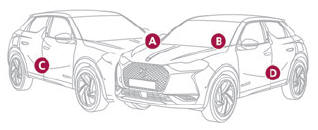
DS 3: Driving / DS PARK PILOT
 For more information,
refer to the General
recommendations on the use of driving
and manoeuvring aids.
For more information,
refer to the General
recommendations on the use of driving
and manoeuvring aids.
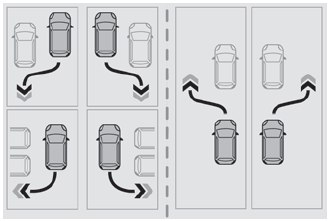
This system provides active parking assistance for vehicles fitted with the EAT8 automatic gearbox or a gear selector: it detects a free "parallel" or "bay" parking space and then operates the vehicle, parking it with no need for driver intervention. It also allows you to automatically exit a "parallel" parking space.
The system controls the steering, direction, acceleration and braking. The system measures the available parking spaces and calculates the distances to obstacles using 12 ultrasonic sensors built into the front and rear bumpers of the vehicle.
To help the driver monitor the successful completion of the manoeuvre, the system automatically displays the Reversing camera and activates the parking sensors.
 DS PARK PILOT is not
always able to react
automatically and appropriately due to
the performance limits inherent to the system.
DS PARK PILOT is not
always able to react
automatically and appropriately due to
the performance limits inherent to the system.
The manoeuvre remains the responsibility of the driver, who must not leave the driving position and must never try to lock the system control button.
The driver's seat belt must remain fastened during the manoeuvre.
- Manoeuvre type selection and parking space search
- Preparing for the manoeuvre. Performing the manoeuvre. End of manoeuvre
- Operating limits. Malfunctions
 Operating limits. Malfunctions
Operating limits
The system may suggest an inappropriate
parking space (parking prohibited, work in
progress with damaged road surface, location
alongside a ditch, etc...
 Manoeuvre type selection and parking space search
Depending on whether the vehicle has been driven
or not since the ignition was switched on, the
function offers to enter or exit a parking space on
the touch screen...
Other information:
DS 3 2016-2026 Owners Manual: Service indicator
The servicing information is expressed in terms of distance (miles or kilometres) and time (months or days). The alert is given at whichever of these two terms is reached first. The servicing information is displayed in the instrument panel. Depending on the version of the vehicle: The distance recorder display line indicates the distance remaining before the next service is due, or the..
DS 3 2016-2026 Owners Manual: Park Assist
For more information, refer to the General recommendations on the use of driving and manoeuvring aids. This system provides active parking assistance: it detects a parking space and then steers in the appropriate direction to park in the space while the driver controls the driving direction, gear changes, acceleration and braking. To help the driver monitor the manoeuvre, the system automat..
Categories
- Manuals Home
- 1st Generation DS 3 Owners Manual
- 1st Generation DS 3 Service Manual
- Stop & Start
- Use
- Door mirrors
- New on site
- Most important about car
Identification markings
Various visible markings for vehicle identification and vehicle search.