
DS 3: Overview
DS 3 2016-2026 Owners Manual
 Welcome
Thank you for choosing a DS 3 CROSSBACK.
This document contains the key information and recommendations you
will need to be able to explore your vehicle in complete safety...
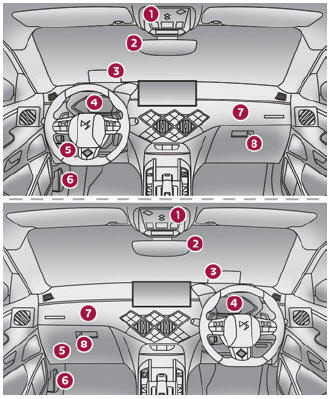
 Instruments and controls
These illustrations and descriptions are provided
for information only, as the locations of certain
elements may vary depending on the version or
trim level...
Other information:
DS 3 2016-2026 Owners Manual: Connected navigation connection
Depending on version, vehicle trim level and subscription to online services and options. Network connection provided by the vehicle With the DS CONNECT BOX solution, the system is automatically connected to the Internet and connected services, and does not require the user to provide a connection via their smartphone...
DS 3 2016-2026 Owners Manual: On flooded roads
We strongly advise against driving on flooded roads, as this could cause serious damage to the engine or gearbox, as well as to your vehicle's electrical systems. If the vehicle absolutely must drive through a flooded section of road: Check that the depth of the water does not exceed 15 cm, taking account of waves that might be generated by other users...
Categories
- Manuals Home
- 1st Generation DS 3 Owners Manual
- 1st Generation DS 3 Service Manual
- Use
- Steering wheel adjustment
- Trip computer
- New on site
- Most important about car
Instruments and controls
These illustrations and descriptions are provided for information only, as the locations of certain elements may vary depending on the version or trim level.

Copyright © 2026 www.ds3manuals.com