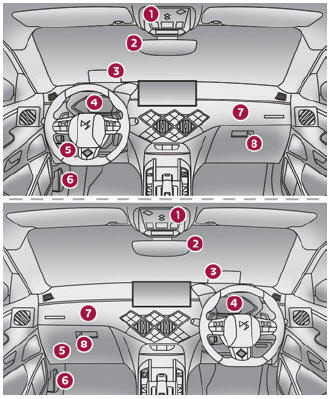
DS 3: Starting/Switching off the engine / Switching on the ignition without starting the engine. Key not detected. Emergency switch-off
Switching on the ignition without starting the engine
With the electronic key in the passenger compartment, pressing the "START/STOP" button, without depressing any of the pedals, allows the ignition to be switched on without starting the engine.
- Press this button again to switch off the ignition and allow the vehicle to be locked.
Key not detected
Back-up starting
A back-up reader is fitted to the steering column, to enable the engine to be started if the system fails to detect the key in the recognition zone, or if the battery in the electronic key is flat.
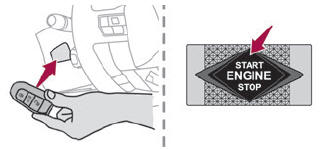
- Place and hold the remote control against the reader.
- With a manual gearbox, place the gear lever in neutral, then fully depress the clutch pedal.
- With an automatic gearbox or a drive selector, select mode P, then depress the brake pedal.
- Press the "START/STOP" button.
The engine starts.
Back-up switch-off
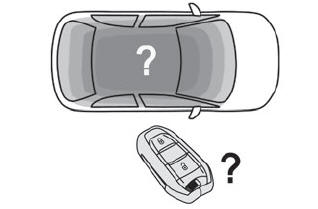
If the electronic key is not detected or is no longer in the recognition zone, a message appears in the instrument panel when closing a door or trying to switch off the engine.
- To confirm the instruction to switch off the engine, press the "START/STOP" button for approximately 5 seconds.
In the event of a fault with the electronic key, contact a dealer or a qualified workshop.
Emergency switch-off
In case of emergency only, the engine can be switched off without conditions (even when driving).
- Press the "START/STOP" button for about 5 seconds.
In this case, the steering column locks as soon as the vehicle stops.
 Starting/Switching off the electric motor
Starting
The drive selector must be in mode P.
Fully depress the brake pedal and briefly press
the "START/STOP" button.
Keep your foot on the brake pedal until the
READY indicator lamp comes on and an audible
signal is emitted, indicating that the vehicle is
ready to drive...
 Electric parking brake
In automatic mode, this system applies the
parking brake when the engine is switched off
and releases it when the vehicle moves off.
At any time, with the engine running:
To apply the parking brake, briefly pull the
control...
Other information:
DS 3 2016-2024 Owners Manual: Compatibility of fuels
Petrol fuels conforming to the EN228 standard containing up to 5% and 10% ethanol respectively. Diesel fuels conforming to the EN590, EN16734 and EN16709 standards and containing up to 7%, 10%, 20% and 30% fatty acid methyl ester respectively. The use of B20 or B30 fuels, even occasionally, imposes special maintenance conditions referred to as "Arduous conditions"...
DS 3 2016-2024 Owners Manual: Information - Using the system
When voice commands are activated, by briefly pressing the button, help is displayed on the touch screen, offering various menus and enabling voice-based interaction with the system. A number of commands are available when a menu is selected. Press the Push To Talk button and tell me what you'd like after the tone...
Categories
- Manuals Home
- 1st Generation DS 3 Owners Manual
- 1st Generation DS 3 Service Manual
- Trip computer
- Deactivation/Activation. Operating limits. Malfunction
- Stop & Start
- New on site
- Most important about car
Instruments and controls
These illustrations and descriptions are provided for information only, as the locations of certain elements may vary depending on the version or trim level.